
How Image3DConversion works
A clearer workflow from records to guided execution.
Image3DConversion supports dental practices through the digital workflow behind guided implant treatment: case understanding, diagnostic-record preparation, planning support, guide and prosthetic design coordination, professional review, revision handling, approval and final deliverables.
The treating clinician remains responsible for diagnosis, treatment indication, patient consent, surgical execution and final clinical approval. Image3DConversion supports the digital planning and workflow environment around the case.
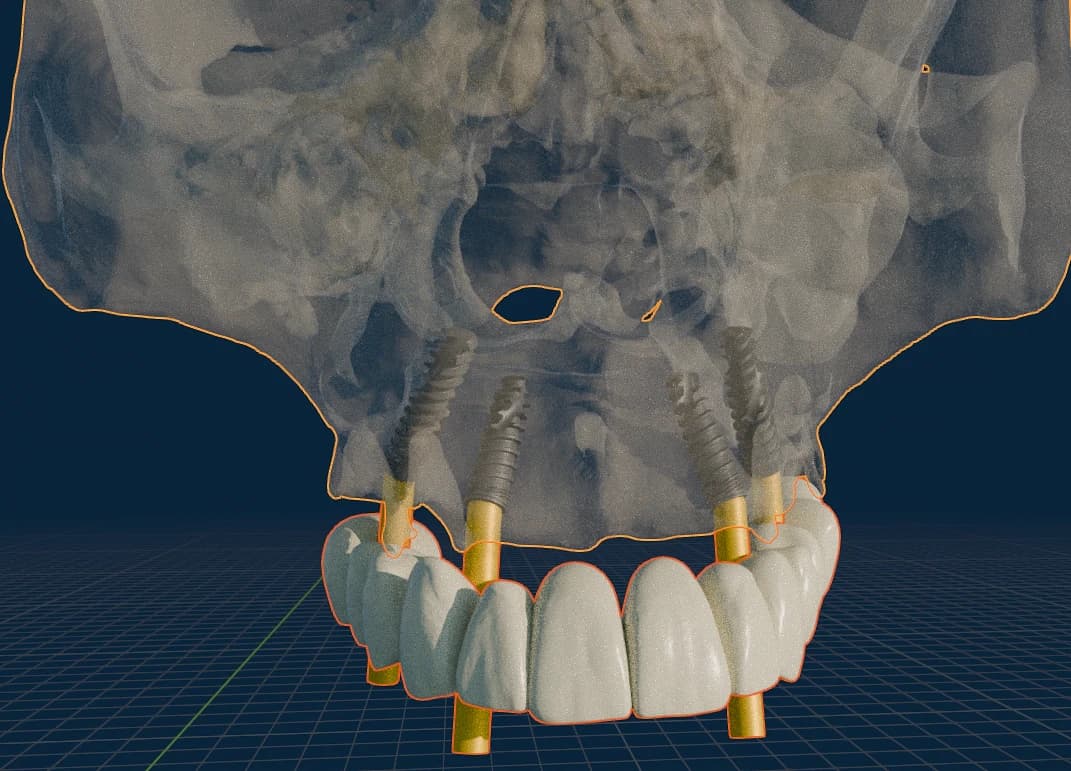
The Image3DConversion workflow
A guided case becomes predictable when the sequence is clear — the right records, prosthetic reference, planning objective, review rhythm and approval path.
- 01
Discuss the case route
Identify the case type and workflow need — planning, design-only, design-to-delivery, global support or partnership.
Discuss a Case - 02
Prepare diagnostic records
Prepare CBCT/DICOM, scans, bite, photographs and prosthetic reference as required by the case type.
Case Data & Diagnostic Preparation - 03
Submit through the right pathway
Invited practices move ready cases through the authenticated Case Portal. Access is invite-only, so if your practice is not onboarded yet we confirm the intake route with you directly.
Case Portal (invite only) - 04
Plan, design and review
Planning, guide design, prosthetic alignment, revision handling and review-ready outputs within the agreed scope.
Relevant workflow page - 05
Approve and receive deliverables
Review, request changes where needed, record approval and receive production-ready files or delivery support.
Case Portal / agreed route
Choose the route that fits your practice
Start with the clinical objective, then move to the page that matches your case.
Guided Implant Workflow
Routine, multi-implant or restorative-driven planning support.
Review workflowFull-Arch / Stackable
Full-arch sequencing, bone reduction, MUA direction and provisional coordination.
Review workflowImmediate Loading
Keep the provisional, smile reference and surgical plan coordinated.
Review workflowZygoma / Pterygoid
Advanced cases needing specialist-led planning context and clear responsibility.
Review workflowDesign-Only
Files for practices or labs keeping local production under their control.
Review workflowDesign-to-Delivery
Coordinated planning, design and production handoff where scope allows.
Review workflow
What the practice should prepare
Exact records depend on the case, but most workflows become clearer when this information is prepared before formal submission.
Prepare before submission
- CBCT / DICOM data with an appropriate field of view for the planned treatment.
- Intraoral scan, model scan, denture scan or wax-up scan where relevant.
- Bite record, clinical photographs and smile / prosthetic reference when the outcome is patient-facing.
- Implant system, component preferences and surgical notes where already decided.
- A clear statement of the desired workflow: planning, guide design, design-only, design-to-delivery or partner support.
Where the Case Portal fits
The Case Portal is the authenticated environment for active case submission, clinical-record exchange, status, review, revision, approval and final deliverables. The public website helps you understand the workflow and choose the right route; the portal is where active cases are handled after the pathway is confirmed.
Clinical files, patient-identifying information, approvals and deliverables belong inside the authenticated Case Portal — never a public form.
Know the workflow before the case begins.
Share your case type, practice context and the workflow you are considering. We can help you choose the right path before clinical records are submitted.